Quick Clean - Space Cleaner
- 4.3
- Rating
- 1.00M
- Installs
- Free
- Price

 Analysis by App-foxy
I tried Quick Clean - Space Cleaner as a practical Android tool rather than expecting it to transform my phone overnight. Its purpose is straightforward: help me look for unnecessary files and make routine storage cleanup less intimidating. That simple approach is also the main reason I can see people choosing it over a crowded, feature-heavy cleaner. At the same time, a storage utility deserves a careful look before I trust it with personal files, so I paid attention not only to the cleanup experience but also to the choices presented on screen.
Developed by SyberTown, this free app sits in the tools category and is aimed at everyday Android users. It has an Everyone content rating, supports Android 7.0 and later, and currently appears as version 1.1.0. Its audience is already substantial, with more than a million installs, a 4.3 average from roughly twenty thousand ratings, and about two thousand reviews. Those figures suggest that the basic idea is easy for many people to understand, although popularity alone is not a substitute for checking what the app actually asks me to do.
What using Quick Clean feels like in real life
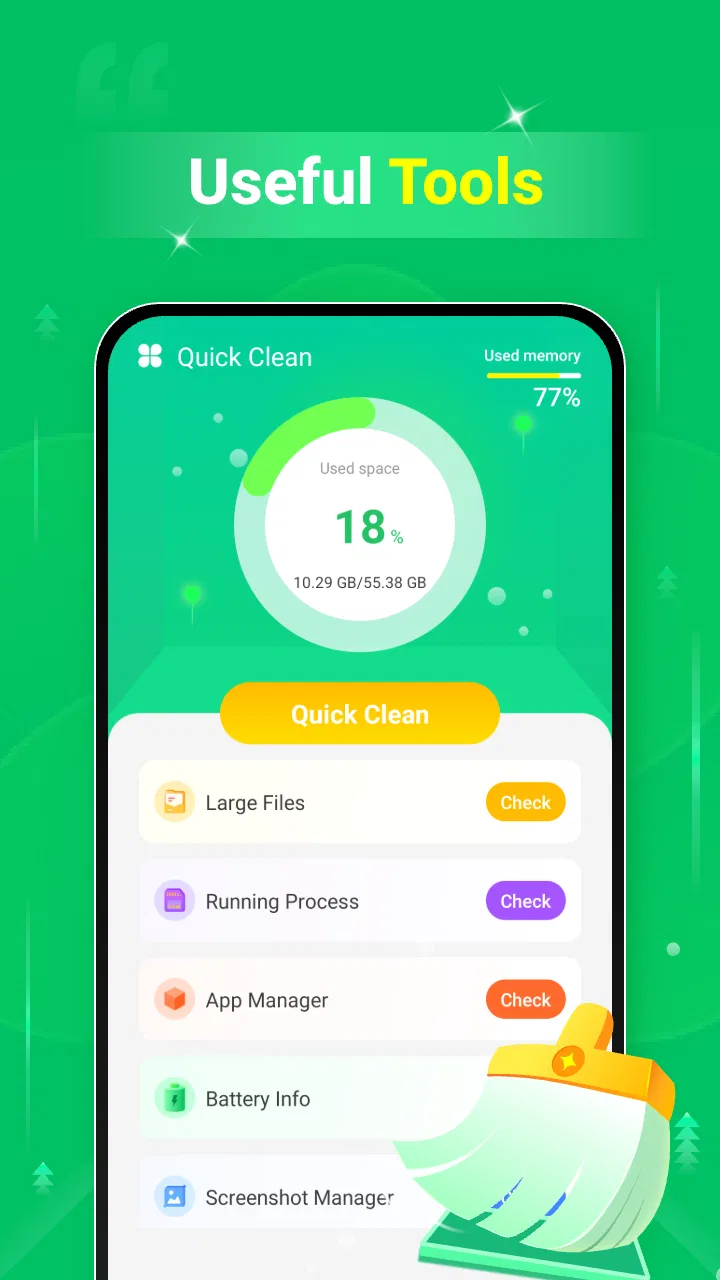
The first impression is deliberately uncomplicated. The store presents it as a simple, easy-to-use application, and that description fits the general direction: this is not trying to be a complete phone-management suite. I would place it closer to a focused storage assistant than to an all-purpose maintenance dashboard. That distinction matters because it sets a sensible expectation. I open it when I want to review space, not when I need battery diagnostics, network testing, device security, or a detailed explanation of every Android process.
You May Also Like

 Blood Strike: 2.5 Anniversary
Blood Strike’s Loadouts Turn Every Drop Into a Tactical Gamble
A close look at Blood Strike’s custom loadouts: how fast access to signature weapons reshapes its battle royale rhythm, rewards preparation, and narrows the gap between fights.

 Pandora - Music & Podcasts
Pandora’s Music Is Easy to Start, but Harder to Recover
Pandora’s strength is its low-effort path from a seed to a station. Its weak spot is how much confidence it asks you to place in connection, setup, and quiet recovery.

 8 Ball Pool
 Is Built on Rivalries, Rematches, and Routine
A close look at the rivalries, rematches, shared routines, and unanswered safety questions that turn a quick pool match into a persistent mobile community.

 Samsung Music
’s Quiet Strength Is Playing What You Already Own
Its reach comes less from spectacle than from dependable access to a personal library. That simplicity is both the app’s strongest retention engine and its ceiling.

 AccuWeather: Weather Radar
AccuWeather Review: A Quick, Clear Forecast for Everyday Decisions
For everyday plans, the best forecast is the one you can understand quickly. AccuWeather makes rain timing, radar, and local conditions easy to act on, with a few trade-offs.

 Hill Climb Racing
Why Hill Climb Racing Still Turns Crashes Into One More Run
A tiny car, a bumpy hill and one more upgrade: Hill Climb Racing keeps resurfacing because its simple chaos makes every near-miss feel personal.
More From Our News Desk



A realistic use case is the familiar moment before downloading a large update, recording a long video, or travelling with limited room for photos. Instead of manually opening several folders and guessing which files are safe, I would use the cleaner as a first pass. I could review what it identifies, remove items I recognize as disposable, and then check the phone again through Android's own storage settings. That two-step habit is more reliable than treating any cleaner as an automatic authority.
The strongest part of this kind of workflow is reduced friction. Many people know their storage is filling up but do not know where to begin. A dedicated cleaner gives that problem a clear starting point. The weakness is that convenience can encourage rushed decisions. A large-looking group of files is not automatically useless, and a thumbnail, download, or cached item may still have value to me. I would never approve a broad cleanup without reading the labels and checking whether the selected items belong to an app or folder I still use.
Why a focused tool can be preferable to a crowded cleaner
Compared with the usual alternatives, Quick Clean - Space Cleaner is appealing when I want less visual noise. Some phone-cleaning products combine storage scans with notifications, memory claims, security warnings, promotional screens, or unrelated utilities. That can make it difficult to tell which action actually affects storage. A focused tool has a better chance of keeping the task understandable, especially for someone who only wants to remove clutter and get back to using the phone.
Android's built-in storage controls remain the safer reference point for system-level decisions. They are already part of the operating system and are useful when I want to see app sizes, uninstall an app, or manage data from a known system screen. Quick Clean can be more approachable as a discovery layer, but I would not replace those built-in controls with it. For a person who wants exact folder-by-folder control, a reputable file manager may be better. For a person who wants a guided first look at possible clutter, this app makes more sense.
That trade-off is important: simplicity saves time, but it can hide detail. I prefer using the app to identify candidates for deletion and using Android or a file manager to investigate anything ambiguous. This is especially useful with messaging attachments, downloaded documents, duplicate-looking photos, and files created by editing apps. A cleaner can help me notice them; it should not decide their personal importance for me.
Trust starts with what the screen lets me verify
Storage cleaners occupy a sensitive place on a phone because they may need visibility into files or usage information in order to perform their main job. I therefore judge Quick Clean through the choices I can see rather than making assumptions about invisible behavior. Before granting access, I would read the Android permission prompt carefully, check which access is being requested, and consider whether the request matches the action I selected. If I only want to inspect storage, I would be cautious about accepting an unrelated request.
The most useful trust signal is a clear, understandable decision point. I want to know when the app is scanning, what category it has found, and what will happen after I confirm removal. I also want the ability to pause, cancel, or review a selection instead of being pushed toward a single large button. In my experience with cleanup tools generally, the difference between a helpful assistant and a risky shortcut is often the quality of these small moments of user control.
I would also check the app's Android permission page after installation rather than relying only on the first launch. That gives me a second opportunity to see what access remains enabled. If a permission no longer seems necessary, I can revoke it through the operating system and see whether the feature I need still works. This is a practical habit for any utility that examines local content, and it keeps trust based on visible controls rather than guesswork.
Handling personal files without rushing
The most data-sensitive moment is the confirmation before deletion. Photos, videos, screenshots, documents, and downloaded attachments can look like ordinary clutter while still being meaningful. I would treat every suggested group as a review queue, not a command. Before confirming, I would open or preview important items where possible, note the location, and leave anything whose purpose I cannot identify.
My safest routine is to clean in small batches. I might begin with obvious temporary material, then return later for larger categories. After each action, I would check whether an app, conversation, or document still behaves normally. This takes longer than tapping a single “clean everything” control, but it reduces the chance of removing something I later need. It also makes it easier to identify which category caused a problem if an app behaves differently afterward.
I would be particularly careful before cleaning a phone used for work, school, or family records. A device may contain offline maps, exported files, scanned receipts, or media that is not backed up elsewhere. The fact that a file is old or large does not make it disposable. Quick Clean is useful as a prompt to inspect storage, but the final decision should remain mine.
Small workflow improvements that make it safer
One useful habit is to run the app before storage becomes critical. When the phone is already full, I am more likely to approve a broad recommendation without reading it. A calm review gives me time to distinguish genuine clutter from files I want to keep. I would also avoid cleaning immediately before an important trip, presentation, or recording session; leaving a little time for verification is a simple way to avoid unpleasant surprises.
A second habit is to compare the app's suggestions with Android's storage view. If both point to the same large, unwanted material, I have more confidence that I understand the situation. If they describe the space differently, I would stop and investigate rather than assuming one view is wrong. The comparison is valuable because it turns a one-tap recommendation into an informed decision.
A third is to keep a personal “do not delete” mental list. For me, that includes current projects, travel documents, family media, offline content, and folders used by apps I rely on. Even if a cleaner groups items by type, my own context is more important than a generic label. This is where Quick Clean works best: it can shorten the search, while my knowledge of the phone determines the result.
Who will appreciate it, and who should skip it
I think Quick Clean is a good fit for someone who regularly reaches the storage limit, finds Android's file layout confusing, or wants a simple place to begin reviewing clutter. It may also suit a family member who needs a less technical explanation of why a phone is running out of room. The free price removes a common barrier to trying it, and the Everyone rating makes its intended audience broad.
I would be more hesitant to recommend it to an advanced user who already maintains storage through a file manager and Android's settings. That person may find a guided cleaner redundant or too general. I would also skip it if I wanted a privacy-management suite, a backup service, a detailed app-permission auditor, or a tool that explains every background process. Those are different jobs, and a focused space cleaner should not be judged as though it were designed to perform them.
People who dislike reviewing deletion suggestions should be especially cautious. The app's convenience is valuable only when I remain involved. If my preferred workflow is automatic removal with no inspection, I would rather use conservative operating-system tools and backups than depend on a broad cleanup action. The more irreplaceable the files on the phone, the more important this distinction becomes.
Questions I would settle before keeping it installed
Would I use it on an older Android phone? Yes, the stated minimum is Android 7.0, so it is aimed at a wide range of devices rather than only recent models. Still, an older phone may have slower storage and fewer modern file-management conveniences. I would allow extra time for scanning and would avoid judging the app solely by how quickly it responds on newer hardware.
Is it genuinely free to try? Yes, it is listed as free. That makes an initial test reasonable, but I would still read every screen during setup and cleanup. “Free” answers the price question; it does not by itself answer questions about permissions, data handling, or whether a particular action is appropriate for my files.
Can it replace a backup? No. A cleanup tool and a backup have opposite purposes: one removes material, while the other preserves it. Before deleting personal photos, documents, or media, I would make sure important items exist somewhere else. If I cannot restore a file, I would not treat it as safe to remove simply because the app includes it in a suggested category.
Should I expect it to fix every performance problem? I would not. Freeing storage can help when space is genuinely tight, but it cannot repair a failing battery, poor signal, a broken app, or hardware limitations. I would use Quick Clean for storage housekeeping and troubleshoot other symptoms separately.
What should I do if a recommendation looks unclear? I would leave it untouched, inspect the location through Android or a file manager, and return only when I understand its purpose. A good cleanup session is not measured by how much disappears. It is measured by whether I recover useful space without losing something important.
My cautious verdict
After looking at Quick Clean as both a convenience tool and a trust-sensitive utility, I see a sensible role for it. It gives ordinary Android users a direct way to begin a storage review without forcing them through a complicated maintenance suite. SyberTown has kept the concept easy to understand, and the app's broad reach, 4.3 average, and free availability make it an approachable option to test.
My recommendation comes with a firm condition: I would use it as a guided inspection tool, not as permission to delete blindly. I would check the Android prompts, review each category, clean in small batches, and confirm important files are backed up. Those steps preserve the main benefit—less effort—while reducing the risk created by any automated cleanup suggestion.
Quick Clean - Space Cleaner is worth trying if you want a clear first step toward reclaiming storage, but the final choice should always stay with you. For casual users who need help finding clutter, it can be a useful addition. For people demanding deep file control, extensive privacy controls, or automatic maintenance, Android's own settings or a more specialized tool may be the better match.
FAQs for Quick Clean - Space Cleaner
01What is Quick Clean - Space Cleaner and how does it work?
Quick Clean - Space Cleaner is a mobile application designed to optimize your device's performance by cleaning junk files, clearing cache, and managing storage. It scans your device to identify unnecessary files and offers options to delete them, freeing up space and potentially improving speed. Its user-friendly interface makes it easy even for non-tech-savvy users.
02Is Quick Clean - Space Cleaner safe to use on my device?
Yes, Quick Clean - Space Cleaner is safe to use. It is designed to clean your device without deleting important files. The app provides detailed information about the files it suggests for deletion, allowing you to review them before proceeding. Regular updates ensure compatibility and security across various devices.
03Does Quick Clean - Space Cleaner support all Android and iOS devices?
Quick Clean - Space Cleaner supports a wide range of Android and iOS devices. However, compatibility might vary depending on your device's operating system version. It is recommended to check the app store page for specific OS requirements to ensure your device is supported before downloading.
04Are there any in-app purchases or ads in Quick Clean - Space Cleaner?
Quick Clean - Space Cleaner offers a free version with basic cleaning features and may include ads. For an ad-free experience and additional features, such as advanced cleaning options and priority support, users can opt for in-app purchases or a premium subscription, if available.
05How often should I use Quick Clean - Space Cleaner to maintain my device?
It is recommended to use Quick Clean - Space Cleaner regularly, at least once a week, to maintain optimal device performance. Frequent usage helps in managing storage efficiently and ensures that your device remains free of unnecessary clutter, enhancing speed and responsiveness.
Pros
- Efficiently clears cache and junk files
- User-friendly interface with simple navigation
- Boosts device speed and performance
- Regular updates with new features
- Low impact on battery usage
Cons
- Some ads can be intrusive
- Limited features in free version
- May not support older devices
- Occasional false positives on large files
- Requires permissions to access storage

Quick Clean - Space Cleaner
Gallery